Loading Map Preview...
LIVE Development Plans for 157+ Regions Across India Open Interactive Map

MapMagician Suite

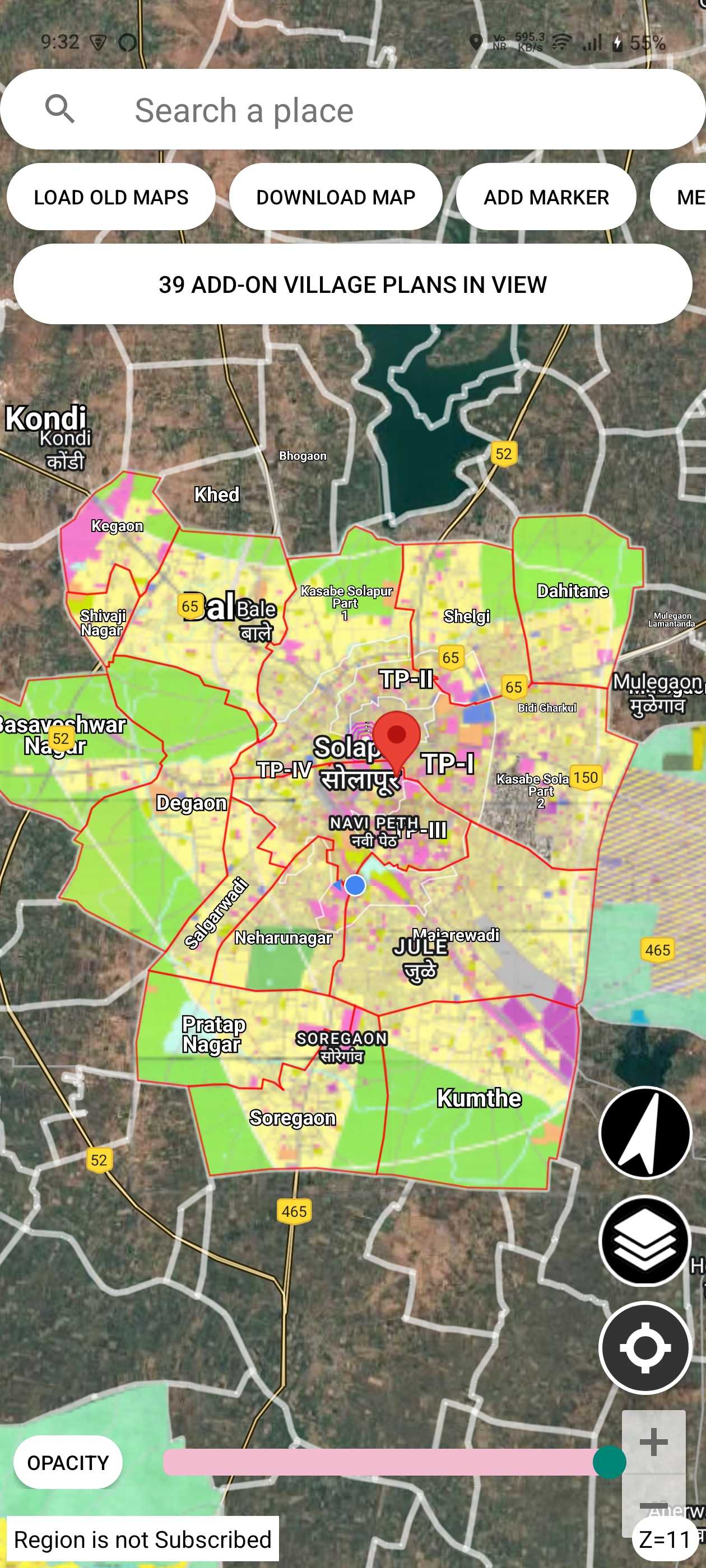
Access comprehensive development plans across selected regions overlaid on satellite imagery for visualization. Essential for real estate developers, valuers, and urban planners to visualize zoning, analyze land use, and make informed decisions.

Our Applications

What is GIS and How Does It Work?

🌍 Geographic Information System

GIS is a powerful technology that combines maps with data to help you visualize, analyze, and understand geographic information. It creates smart maps that show relationships, patterns, and trends in your data.

πŸ›°οΈ Satellite Imagery Overlay

Our apps overlay official development plans and custom maps directly onto Google satellite imagery, allowing you to see exactly how planned developments relate to the current landscape.

πŸ“ GPS & Georeferencing

Using GPS integration and precision georeferencing tools, our apps provide accurate location understanding and allow you to transform any map into a georeferenced overlay.

Key Use Cases for Professionals

πŸ“Š For Valuers

  • Understand property zoning and surrounding land use
  • Overlay custom valuation maps on satellite imagery
  • Identify potential future developments affecting property value
  • Analyze location data, amenities access, and reservations

πŸ—οΈ For Developers & Surveyors

  • View comprehensive development plans on satellite imagery
  • Georeference survey maps and site plans with precision
  • Assess development potential of specific land parcels
  • Export to KMZ for use in Google Earth and GIS software

πŸ›οΈ For Urban Planners

  • Access development plans of various cities in one place
  • Overlay custom planning maps and proposals
  • Compare planned growth across different urban areas
  • Visualize zoning changes and development patterns
Development Plan GIS

Development Plan GIS

Comprehensive GIS tools for urban development analysis

Development Plan GIS in Action

Explore comprehensive development plans with satellite overlay
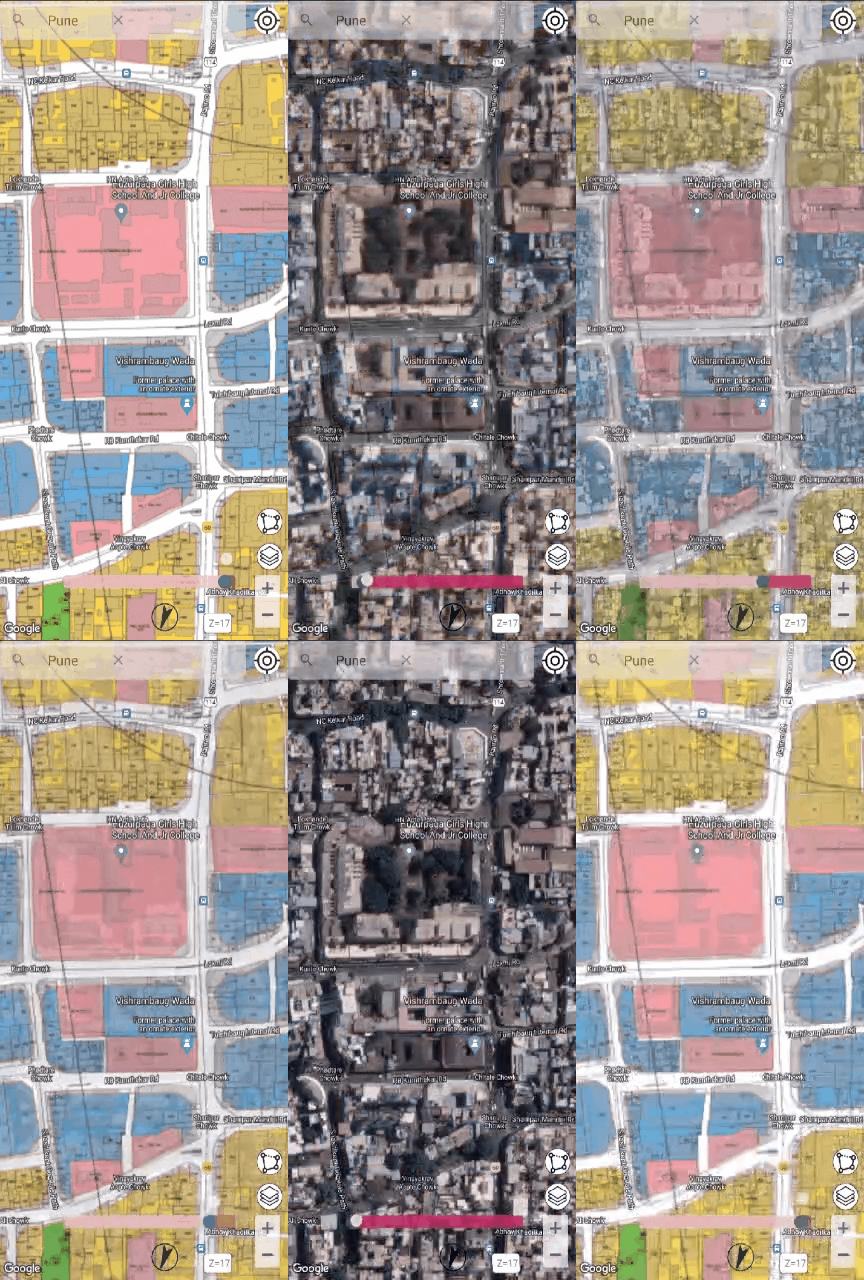
App Demo Animation
Georeferenced Plans Over Satellite Imagery
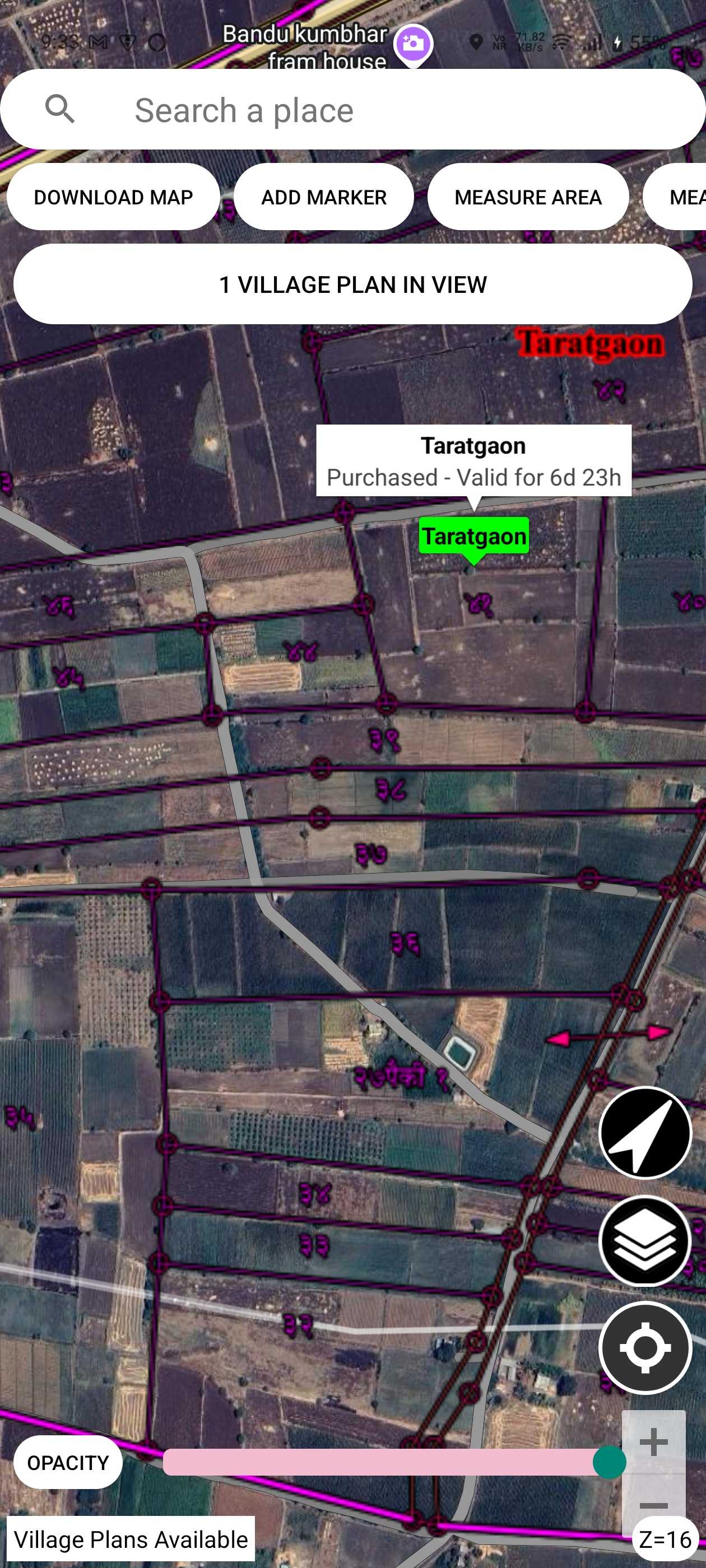
Custom Markers and Area Measurement
Download Development Plans
Part Development Plan View
Main Menu Interface
Maharashtra Districts Selection
Multiple Village Plans View
Village Plan with Survey Numbers

🌐 Interactive GIS Platform

Satellite imagery overlay with high-resolution maps for visualizing development plans

πŸ“ Measurement Tools

Calculate area and distance directly on interactive maps with precision

🏒 Zone Classification

View residential, commercial, industrial, and special zones at a glance

πŸ“Š Development Analysis

Essential for real estate developers, valuers, investors, and urban planners

πŸ“ Comprehensive Coverage - 157+ Locations

πŸ™οΈ Metropolitan Cities & IT Hubs

  • Hyderabad HMDA (30+ locations)
  • Bibinagar, Ghatkesar, Medchal, Shamshabad
  • Chevella, Sangareddy, Patancheruvu
  • Maheshwaram, Hayathnagar, Pochampalli
  • Bengaluru City
  • Complete development plan coverage

🟠 Maharashtra Districts

  • Pune Region (54+ locations)
  • Pune, Pimpri Chinchwad, Baramati, Lonavala
  • Hinjewadi IT Park, Chakan, Alandi, Talegaon
  • Mumbai Metropolitan Region
  • Navi Mumbai, Thane, Vasai-Virar, Panvel
  • Solapur District (15 towns)

🟒 Western & Other Regions

  • Western Maharashtra
  • Satara, Sangli, Ahmednagar, Nashik
  • Marathwada Region
  • Latur, Osmanabad, Aurangabad
  • Individual Cities
  • Kolhapur, Nagpur, Amravati, Jalgaon

Get Development Plan GIS Today

Access development plans for 157+ locations across India

Get it on Google Play
Overlayr

Overlayr - Map Overlay Tool

Desktop-grade precision georeferencing on your Android device

Overlayr - Map Overlay Tool in Action

Professional georeferencing with precision control points

Import and Project Management
Saved Georeferencing Projects
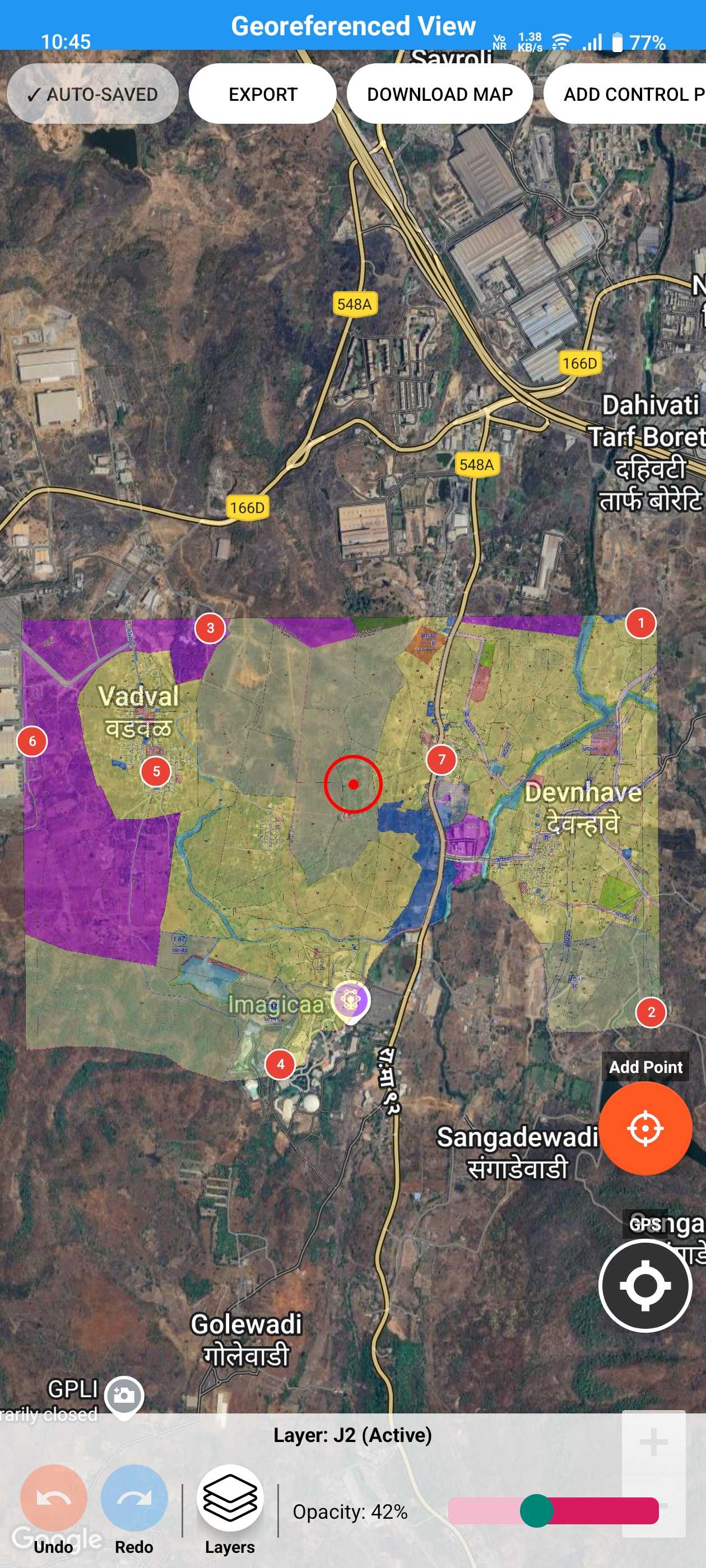
Georeferenced Overlay View
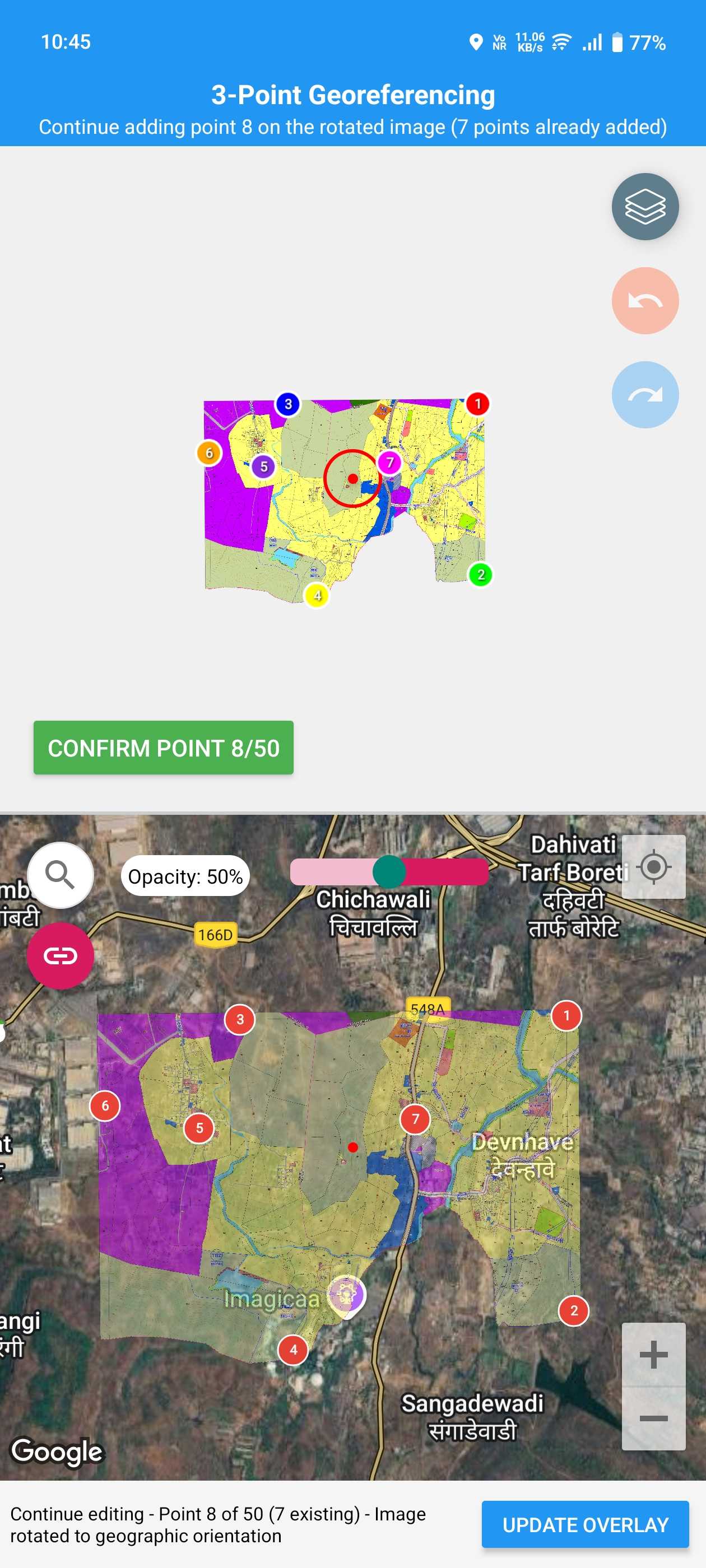
Precision Point Selection
Map Matching and Alignment

🧭 Georeferencing Tools

Precision control points with magnified views, live overlay transformation, drag & drop accuracy, and transparency controls for seamless blending

πŸ—ΊοΈ Mapping Features

High-res satellite imagery, smart location search, GPS integration for auto-location, and custom markers with labels and details

πŸ“ Measurements & Analysis

Area calculation in mΒ², hectares, acres, distance measurement tools, live calculations with instant feedback, metric and imperial support

πŸ“€ Export & Share

Export as KMZ for Google Earth & GIS software, high-res screenshots, easy sharing via email and cloud apps, industry-standard formats

βš™οΈ Technical Power

Supports JPG, PNG, PDF formats, high-resolution image handling, offline capability, memory optimized for large files

πŸ“ Project Management

Unlimited projects with Premium, auto-save protection, organized project library, instant loading and resuming

Sample Flow

Professional Use Cases

πŸ—οΈ Land Surveying

Overlay survey maps on satellite imagery with precision control points for accurate field verification and boundary marking

πŸ™οΈ Urban Planning

Visualize development plans on live maps, assess zoning changes, and present proposals with professional overlays

🌿 Environmental Studies

Map field areas, habitats, and ecological zones. Document environmental changes with georeferenced overlays

🏘️ Real Estate & Valuation

Mark property boundaries and zoning plans, create professional presentations for clients with accurate overlays

🚧 Construction

Overlay site layouts and building plans on location for better project planning and coordination

🚨 Emergency Planning

Visualize evacuation routes and response zones, plan emergency services deployment with georeferenced maps

Why Choose Overlayr - Map Overlay Tool?

βœ”οΈ Professional-Grade Accuracy

Desktop-level precision on your Android device with advanced georeferencing algorithms

βœ”οΈ Beginner-Friendly Design

Intuitive interface that makes professional georeferencing accessible to everyone

βœ”οΈ Reliable Performance

Stable and tested on thousands of devices with frequent updates and new features

Transform Your Maps with Overlayr - Map Overlay Tool

Professional georeferencing tools for surveyors, planners, and GIS experts

Location Plan Maker Pro

Location Plan Maker Pro

Create professional location plans, site maps & property layouts from your phone

Whether you're a real estate agent rushing between site visits, a civil engineer preparing a client report, or a surveyor documenting a plot β€” you know how painful it is to create a clean location map. Most professionals still rely on screenshot-and-annotate workflows or expensive desktop GIS software that's overkill for a simple location plan.

Location Plan Maker Pro changes that. It puts a full-featured location plan studio right in your pocket. Open the app, drop markers for nearby landmarks, draw roads and plot boundaries, measure distances and areas, and export a polished, branded PDF β€” all in under 10 minutes, right from the field.

The output isn't a rough sketch. It's a clean, professional-grade map with proper markers, labels, measurements, and your custom logo β€” ready to attach to a listing, embed in a report, or present to a client. No internet required after the initial map load. No learning curve. Just open, create, and deliver.

Location Plan Maker Pro in Action

Professional location plans created directly on your phone

Professional Location Plan Output
Marker Placement & Categories
Road Drawing & Styling
Area & Distance Measurement
Region Marking & Polygons
Export & Share Options
Sample Exported Location Plan

How It Helps You Earn

🏠 Property Listings

Create location maps for property listings that show nearby amenities, roads, and landmarks. Clean maps increase buyer trust and boost conversions.

πŸ“‹ Site Visit Reports

Generate professional site plans during field visits. Attach accurate, branded maps to your reports without going back to the office.

πŸ’Ό Client Presentations

Deliver polished map outputs that impress clients. Add your logo, customize styling, and present plans that build trust and credibility.

Powerful Features

πŸ“ 33+ Professional Markers

  • Hospitals, schools, banks, police stations, bus stops, railway stations, metro, airports, and more
  • 9 organized categories: Civic, Transport, Education, Religious, Utilities, Roads, Financial, Government, General
  • Add custom text labels anywhere on the map
  • Full control over marker placement and naming

πŸ“ Accurate Measurements

  • Measure distance in meters, feet, and kilometers
  • Calculate area in sq. meters, sq. feet, acres, and hectares
  • Accurate spherical geometry calculations
  • Visual measurement lines with start/end markers

πŸ—ΊοΈ Area & Region Marking

  • Draw polygonal regions for plots, properties, and zones
  • Customize fill color, opacity, and borders
  • Auto-calculate area with unit selection
  • Add area labels with custom positioning

πŸ›£οΈ Road & Route Drawing

  • Draw roads with realistic multi-layer styling
  • Customize road width, colors, and borders
  • Add road name labels along paths
  • Mark highways, lanes, and access roads

🌍 Map & Location

  • Google Maps with satellite and terrain view
  • Location search with autocomplete
  • GPS-based current location detection
  • Coordinate input in Decimal & DMS formats

πŸ“€ Export & Project Management

  • Export high-quality maps as PNG or PDF
  • Share via WhatsApp, Email, or other apps
  • Save multiple projects with thumbnails
  • Add custom logo and branding to exports

Built For Field Professionals

🏘️ Real Estate Professionals

  • Real estate agents and brokers creating listing maps
  • Property consultants preparing client presentations
  • Builders and developers documenting site layouts

πŸ—οΈ Engineers & Surveyors

  • Civil engineers creating site reference plans
  • Surveyors documenting plot boundaries and landmarks
  • Architects and planners creating location context maps

πŸŽ“ Students & Academics

  • Civil engineering students preparing project submissions
  • Architecture students creating site analysis maps
  • Anyone who needs a quick, professional location plan

Why Professionals Choose This App

βœ”οΈ No Expensive Software Needed

Skip the desktop GIS tools and expensive licenses. Create professional maps directly on your phone with an intuitive, purpose-built interface.

βœ”οΈ Create Maps On-Site

Don't wait until you're back at the office. Open the app at the location, use GPS, drop markers, and export a finished plan in minutes.

βœ”οΈ Professional Output That Builds Trust

Clean designs with branding support, accurate measurements, and polished visuals. Suitable for reports, documentation, and client presentations.

Create Professional Location Plans Instantly

Fast, accurate, and client-ready maps from your phone